Manage Dependent Status Codes
Use dependent status codes to identify events that could impact a dependent's eligibility, for example, birth, marriage, divorce, etc. These user-defined codes are optional to use.
If you create new death status codes and use the Medicare Secondary Payer (MSP) module, make sure you update the group health plans with the death status codes.
Go to: Home > Codes and Criteria > Members > Dependent Status Codes
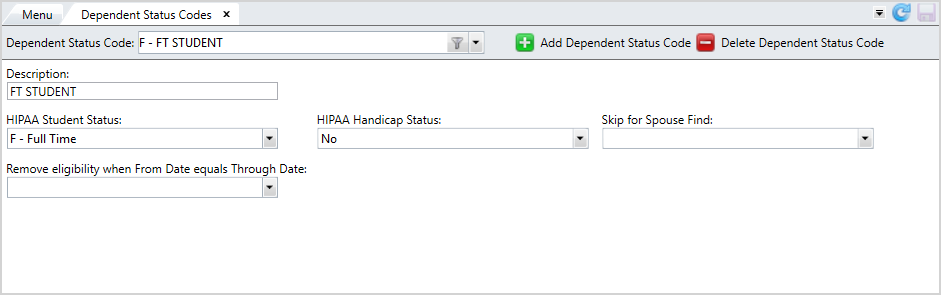
Hover over the HIPAA Student Status or HIPAA Handicap Status to view the segment these fields populate in the HIPAA 834 file.
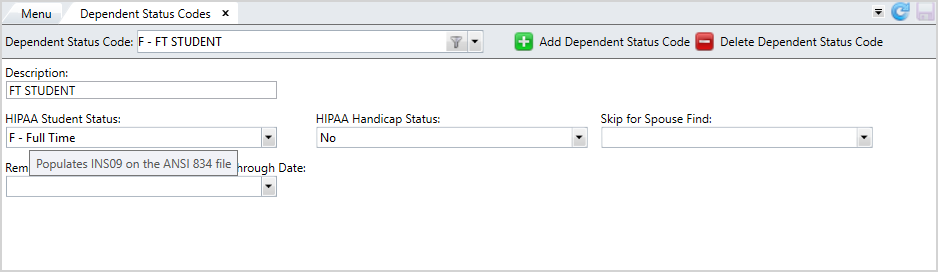

 Dependent Status codes Field Descriptions
* indicates a required field
| Field | Description |
|---|---|
| Dependent Status Code* | The name of the dependent status code. |
| Description | The description of the dependent status code. |
| HIPAA Student Status |
A predefined HIPAA student status code. Use this field to associate the user-defined dependent status code with a HIPAA-defined student status code, when needed for HIPAA transmissions:
|
| HIPAA Handicap Status |
Triggers the Handicap Indicator on the 834 Benefit Enrollment and Maintenance transaction. When you use the associated dependent status code, the following indicator is included in Loop 200, Segment INS10 of the 834 transaction:
Note: For a complete set of the valid HIPAA-compliant values for these codes, see the published National Electronic Data Interchange Transaction Set Implementation Guide for the 834 Benefit Enrollment and Maintenance Transaction.
|
| Skip for Spouse Find |
Determines if a spouse's termination is ignored when checking for a valid spouse:
|
| Remove Eligibility when From Date Equals Through Date |
Disables eligibility for the dependent when the from date and through date in Dependent Effective Dates are the same date (see Change a dependent's benefit eligibility or PHI status):
|
Add a Dependent Status Code
- Click
 .
. - Enter the name of the dependent status code and click
 .
. - Enter an optional description for the dependent status code.
- If needed, select the
HIPAA Student Status,HIPAA Handicap Status,Skip for Spouse Find, andRemove eligibility when From Date equals Through Dateinformation. - Click
 to save.


Update a Dependent Status Code
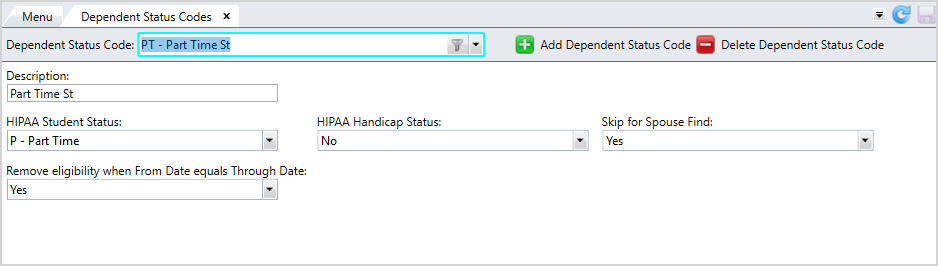
- Select the dependent status code to update from the
Dependent Status Codelist. - Edit the
Description,HIPAA Student Status,HIPAA Handicap Status,Skip for Spouse Find, andRemove eligibility when From Date equals Through Dateinformation. - Click to save.

Delete a Dependent Status Code
- Select the dependent status code to delete from the
Dependent Status Codelist. - Click
 .
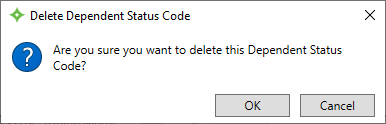
. - At the message "Are you sure you want to delete this dependent status code?" click .
- The dependent status code is deleted from the list.